FeaturePublished 9 min read
How to charge for Telegram VIP group renewals
To charge for Telegram VIP group renewals, the bot reminds buyers before their access expires and sends, in the reminder itself, a button that creates the charge for the same plan. On LibertyBot, this is the Renewal System: it comes turned on for one-time payment plans, sends reminders 3, 2 and 1 day before and on the last day, and anyone who renews before expiry doesn't lose a single day.
 By LibertyBot TeamLibertyBot Blog
Photo: Océanos y dados | CC0 | Wikimedia Commons (cropped)
In short
- The Renewal System works for one-time payment plans with a set term, and it comes turned on.
- By default, the bot sends reminders 3, 2 and 1 day before expiry and 6 hours before the end, always with the RENEW NOW button.
- The button charges the same plan again, at the price it has today.
- Anyone who renews while access is still valid stays in the group, and the new time is added to what was left.
- By default, anyone who doesn't renew leaves the group at expiry and can come back by renewing later.
How to charge for Telegram VIP group renewals
The bot that sold the access is the one that charges for the renewal. Before expiry, it sends a reminder in the buyer's chat, with a button that creates the charge for the same plan. Without that, someone has to keep track of who expires each day and message people one by one.
This only works because the buyer has already chatted with the bot. Under Telegram's rules, a bot can't start a conversation (opens in a new tab): the person has to send it a message first. Anyone who paid through the bot has already done that, so the reminder lands in the same chat as the purchase.
On LibertyBot, this is the Renewal System, in the Subscription section of Basic and Advanced flows. It applies to One-time payment plans with a term in days or months, the billing model a plan starts with when you create it: the person pays for a period, gets access and, near the end, decides whether to pay for another one. How the person gets into the group after paying is covered in how to give automatic access to a Telegram VIP group after payment.
Recurring plans are left out
The reminders before expiry and the RENEW NOW button belong to One-time payment plan purchases. The Recurring plan (subscription) has its own rules, plan by plan, in the table below the Renewal System. The Message when it expires and Remove from the group apply to every access that expires, subscriptions included; the button only goes with one-time payments. The Lifetime plan doesn't expire, so it has no reminders and nobody is removed from the group.
What comes turned on
The Renewal System comes already set up: without changing anything, the bot sends the reminders, charges and removes from the group anyone whose access expired. The default reminders go out in the lead's language, with the name you gave the plan.
| Reminder | When it goes out | What the lead reads |
|---|---|---|
| 3 days before | 72 hours before expiry | “Your access to the Monthly plan expires in 3 days. Renew now so you don't miss anything.” |
| 2 days before | 48 hours before | The same text, with 2 days |
| 1 day before | 24 hours before | “Your access to the Monthly plan expires in 1 day. Renew now to keep everything.” |
| On the day | 6 hours before | “Today is the last day of your access to the Monthly plan. Renew now so you don't lose access.” |
| On expiry | When access expires | “Your access has expired.” |
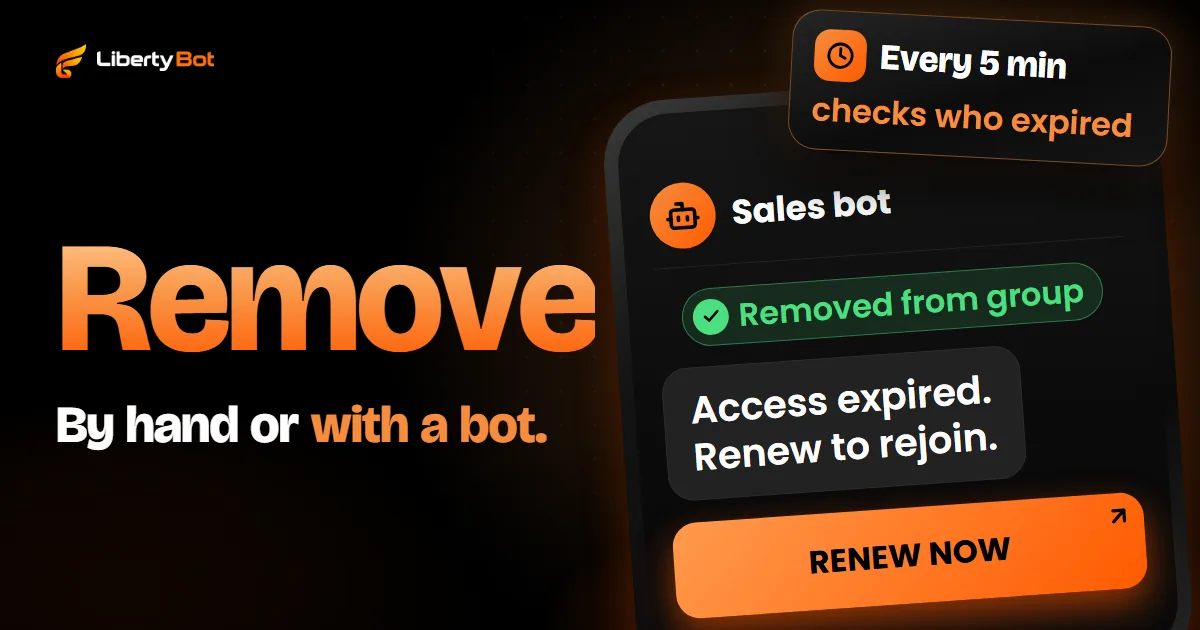
The four reminders and the expiry message come with the RENEW NOW button. In the dashboard, the button shows up as RENEW. These also come by default: Remove from the group turned on and the RENEW discount at 0%, which means the renewal costs the plan's full price.
- 3, 2, 1days before expiry: the reminders that come turned on
- 6 hbefore the end: the last-day reminder
- 5 minthe interval at which the system checks reminders and expiries
How to set up the Renewal System
Open the Subscription section
In My Flows, open the Basic or Advanced flow and, in the editor menu, under OPERATIONS, tap Subscription. The Renewal System card is at the top. If the section shows a padlock, first set up the media cache in Bots.
Choose the reminder days
Under Reminders before expiring, tick the days in Days before expiring: 14, 7, 5, 3, 2 or 1 day, and On the day, which goes out 6 hours before the end. Turn off this card and Reminders on the expiry day if you don't want any reminders at all.
Write the message, if you want
In Renewal message, write your text and, in Media (optional), attach a photo, a video or another file. Left blank, the default reminders from the table above go out.
Remind more often on the last day
Optional. Turn on Reminders on the expiry day, choose from 1 to 6 times in How many reminders and tick the times, in Brasília time. They use the same message and the same media, and they replace the reminder 6 hours before.
Adjust what happens at expiry
In the Message when it expires card, write the expiry text in the Expiry message field or leave it blank for the default. Under Actions on expiry, decide whether Remove from the group stays on.
Save
Tap Save renewal. It applies right away to the next reminders, with no need to publish the flow again.
The message variables
Below the text field, buttons insert variables that the bot fills in when it sends the message: the lead's first name, the plan name, how many days are left and the date access expires. In the expiry message, only the two that make sense there: name and plan.
The last day counts as zero
In the On the day reminder and in the timed reminders, the days-left variable comes out as 0. A text like “expires in X days” becomes “expires in 0 days”. Use the expiry date instead, which works for every reminder.
With media and a text of up to 1,000 characters, the reminder goes in a single message, with the text as the caption and the button below it. With a longer text, the media goes first and the text with the button right after it.
What happens when the lead taps RENEW NOW
The bot opens the charge for the same plan, in the same language and the same currency, through the same path as a regular purchase and with the same payment method as the first purchase: by card, for example, the checkout arrives just like the first time. The price is what the plan costs today. If you changed the price after the first purchase, the new one applies, once you publish the flow.
If the plan was taken out of the flow, the lead gets “This plan is no longer available. Send /start to see the current plans.” and picks another one from the start of the funnel.
Renewed before expiry
The new time is added to the existing expiry date, not to the payment date. On a 30-day plan, someone who renews at the 3-day reminder keeps the 3 days that were left plus the plan's 30: 33 days ahead. The person stays in the group, and the reminders start again from the new date.
Renewed after expiry
Anyone who renews after expiry gets the plan's delivery again, as on the first purchase. With VIP Group/Channel, that's a new invite, valid for 24 hours and admitting one person at a time, with “Your access is ready.” and the ACCESS PRODUCT button. The term counts from this new payment.
What happens when access expires
With Remove from the group turned on, the bot takes the person out of the group or channel without leaving them banned: it bans the account and unbans it right away. Under the Telegram Bot API (opens in a new tab), an unbanned user doesn't come back on their own, but can join again through a link. The bot also cancels that purchase's invite.
To remove someone, the bot needs to be an admin of the group with Ban Users turned on. How to set that up, and what to do when removal fails, is in how to give automatic access to a Telegram VIP group after payment.
Then the Message when it expires goes out: your text and your media or, if left blank, “Your access has expired.”. Turn off that card and the bot sends nothing at expiry.
With Remove from the group turned off, the person stays in the group, but their invite stops working, so nobody else can join through it. The Temporary Group always removes, with or without this option. And anyone who bought the same plan again and still has valid access neither leaves nor gets the message.
Who gets the reminders, and who doesn't
- Only the main purchase gets the reminders before expiry. Upsells and downsells don't get these reminders or the button. The Temporary Group doesn't get the reminders either, but at the end it gets the Message when it expires with RENEW NOW.
- One reminder at a time. If two reminders fall behind, only the one closest to expiry goes out. A missed reminder doesn't come back, and the lead never gets three messages at once.
- Short plans skip reminders. A reminder only goes out if the access already existed before its time. A 3-day plan doesn't get the 3-day reminder; a 1-day plan only gets the last-day one.
- Times after the end don't go out. If access expires at 14:00, the reminder set for 21:00 that day is left out.
- Anyone who already renewed doesn't get the reminders for the old date. The date changes, and the reminders follow the new one.
- Through the bot of the purchase. The reminder goes out in the chat with the bot the person bought from. If that bot is deleted from the account, the reminder doesn't go out.
To remove someone from the group by hand before expiry, see how to remove someone from a Telegram group. To build the paid group from scratch, the guide is how to create a paid VIP group on Telegram.
Want the bot charging for renewals for you?
Joining the platform is by invitation: the button below puts you on the waiting list.
Free account. 3.99% per sale.
Frequently asked questions
How do I charge for Telegram VIP group renewals?
With reminders before expiry and a button that creates the charge for the same plan. On LibertyBot, the Renewal System, in the Subscription section of Basic and Advanced flows, already does this for one-time payment plans.
Does someone who renews before expiry lose the days they had left?
No. The new time is added to the current expiry date: someone who renews 3 days before on a 30-day plan has 33 days ahead.
When does the bot warn that access is about to expire?
By default, 3, 2 and 1 day before and 6 hours before the end. You can also tick 14, 7 or 5 days before and up to 6 reminders on the last day, at the times you choose.
Does the bot remove people who didn't renew from the group?
Yes, if Remove from the group is turned on, as it is by default. The person leaves without being banned and can come back with a new purchase.
Do I need to publish the flow after changing the reminders?
No. The Save renewal button already applies to the next reminders.
Sources (checked on )
- Telegram: introduction to bots (a bot doesn't start conversations) (opens in a new tab)
- Telegram Bot API: banChatMember (opens in a new tab)
- Telegram Bot API: unbanChatMember (opens in a new tab)
- Telegram Bot API: revokeChatInviteLink (opens in a new tab)
- Telegram app text in English: Ban Users (opens in a new tab)